Rethinking Your Automotive CRM?
Start Here.
A free, plain-English guide to choosing, scoring and running automotive CRM software. The short version is on this page. The checklist, the full article and the playbooks are one click away.
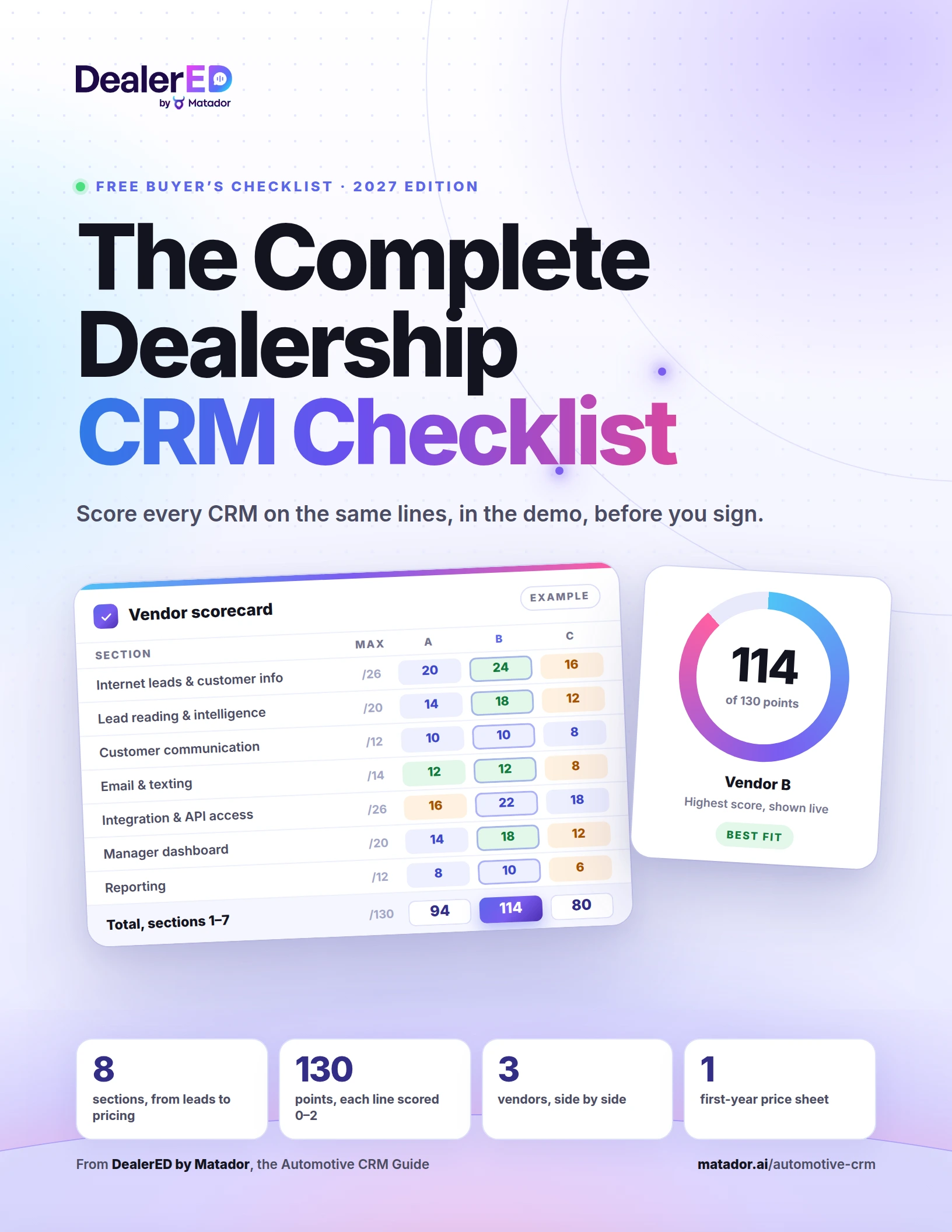
Free 11-page PDF Scored to 130 points No call required
How Do You Compare Automotive CRMs Fairly?
Score every vendor on the same printed lines, for what the demo showed you. The Complete Dealership CRM Checklist has the lines, a demo test for each and a page to compare up to three CRMs side by side.
- Eight sections, seven of them scored to 130 points, the same lines as this page
- Tests to run live in the demo, and a place to write what you saw
- The integration worksheet: what syncs, how often, at what cost
- The first-year pricing sheet, with the migration and training questions
- Real dealership scenarios to run with every vendor
- A scoring summary to compare up to three CRMs side by side
Your checklist is ready
If the download did not start on its own, the button below has it.
Download the checklist (PDF)What Is a CRM in a Car Dealership?
Automotive CRM software is the customer relationship management system a dealership uses to capture every lead, track every customer and vehicle, and run follow-up, appointments and reporting. It is built for dealership work: internet leads from marketplaces and OEM sites, desking, trade-ins, the DMS and the handoff from sales to service.
- 1What does an automotive CRM actually do?Two jobs: it stores every customer interaction and fires the tasks your processes define.→
- 2What must automotive CRM software do in 2027?Eight things, from complete leads to an honest first-year price.→
- 3How do you choose an automotive CRM?Five steps: your own scenarios, the same lead for every vendor, and a score.→
- 4What does running a CRM well look like?Six daily manager habits, and a record nobody is excused from.→
- 5Should you replace your CRM, or add AI to it?Replace it if the record cannot be trusted. Add AI if the reply is the gap.→
- 6Which page should you read next?Four pages, one job each: the checklist, the article, the practices, Matador.→
- 7What do the CRM terms mean?Twelve words every vendor demo leans on, in plain English.→
- 8What CRM do most dealerships use?There is no single standard. That and nine more questions, answered.→
Are automotive CRM, dealership CRM and auto dealer CRM different things?
No. They are three names for the same kind of product. What changes is the type of store buying it, which is why the auto dealer CRM checklist weights each requirement for your type of dealership.
Why is choosing one such a big decision?
Because it touches nearly every part of the customer journey: lead response time, communication, appointments, reporting, accountability and conversion. And it has to work with a much broader technology stack than it did five years ago.
What does an automotive CRM actually do?
Two jobs at once, says Mark Vickery, who leads performance management at one of the large CRM vendors. It is the warehouse for every customer interaction, and it is a process engine that fires tasks from the workflows the store defines: new internet lead, unsold showroom visit, sold customer, missed appointment. A manager who cannot recite those processes is storing data, not running a CRM.
What matters more, the people or the software?
The people. Sam Maimone, a CRM specialist who has worked on the dealership, vendor and manufacturer sides, ranks people first, process second and technology third. The right people with a vague process still fail, and the process that fits a small-town store is not the one that fits a metro store.
What does a CRM not do by itself?
Talk to the customer. It receives the lead and creates a task for a person, and the gap between the task and the reply, at 9 PM or on a Sunday, is where most dealership leads are lost. That is why texting, automation and AI are among the requirements below.
Do we need a new CRM, better management, or AI?
Answer three questions, in order:
- Can the record be trusted? Leads complete, duplicates merged, history dated and attributed, texting inside the record. If not, the CRM fails the requirements and it is time to score the alternatives.
- Is the CRM being run? Appointments confirmed, visits closed in real time, the sales log reconciled, managers’ own tasks clear. If not, the fix is management, not software.
- Is the response the gap? New leads waiting hours for a first reply, follow-up stopping when people run out of time. If so, keep the CRM and add the AI that works it.
What Must Automotive CRM Software Do in 2027?
Eight things, and the same lines for every vendor. Seven are scored line by line, 0 to 2 for what the demo showed rather than what was described, to 130 points; the eighth is the first-year price. Every line and the PDF are on the checklist page.
| # | Requirement | What it must do | Test it in the demo | Points |
|---|---|---|---|---|
| 1 | Internet leads and customer information | Every lead arrives complete, duplicates merge, routing follows your rules. | Send the vendor a real lead and watch what the rep sees. | 2613 lines × 2 |
| 2 | Lead reading and customer intelligence | The system reads the lead: intent, questions, objections, next step. | Submit a detailed lead and ask what the system understood. | 2010 lines × 2 |
| 3 | Customer communication history | One dated, attributed record of who did what, human or automation. | Open a record with weeks of activity. Can a manager follow it? | 126 lines × 2 |
| 4 | Email and texting | Both channels inside the record, in order, on mobile as well as desktop. | Text and email the same customer from the mobile app. | 147 lines × 2 |
| 5 | Integration and API access | Documented connections to the DMS, website, inventory, phones, AI, with direction and fees. | For each tool you use today: what syncs, how often, at what cost? | 2613 lines × 2 |
| 6 | Manager dashboard visibility | What needs attention today, per salesperson and per rooftop. | Show a sales manager’s first ten minutes of the day. | 2010 lines × 2 |
| 7 | Reporting | Reports the store builds itself, with percentages and lead ROI. | Recreate three reports you already run, live. | 126 lines × 2 |
| 8 | Pricing | The complete first-year cost, for the exact configuration demonstrated. | Price the exact configuration that was demonstrated. | Price sheetNot scored |
| Total, requirements 1 to 7 | 130per vendor | |||
Does a franchise store need a different CRM than an independent?
Not a different checklist; different weights. A franchise store buys for manufacturer lead programs and a DMS it did not choose, an independent for a small team, marketplace leads and a price one rooftop can carry, and a group for one view of every store. Weight the eight for your store.
How Do You Choose an Automotive CRM?
Bring your own scenarios and score every vendor the same way. A prepared demo shows a CRM under ideal conditions. The useful evaluation asks every vendor the same questions in the same order, and leaves you with a number instead of an impression.
Bring your own scenarios
One real internet lead with a trade and a question, three reports you already run, and the list of systems the store uses today.
Same lead, every vendor
Submit the identical lead, ask the identical questions, in the identical order. A prepared demo shows ideal conditions; yours shows the store.
Score, don’t admire
Every line of the checklist gets a 0, 1 or 2 for what you saw, not what the rep described. Sections 1 to 7 total 130 points.
Ask the integration question
For each product you use: what data syncs, in which direction, how often, and at what extra cost. A lead-only connection is not a sync.
Price the whole first year
Base CRM with ILM and desking, rooftops, users, AI, texting, scanning, integrations, implementation, migration, training. One number per vendor.
What should we do before the first demo?
Write a discovery. Sam Maimone’s first step with any store that wants to buy or switch is a written account of how walk-ins, web leads and phone-ups are handled today, where the gaps are, and what each gap costs. Then map each CRM to that document, not to a feature list.
When should a store wait before switching?
When key managers will not buy in. Maimone’s rule is to delay, because CRM contracts commonly run three years and a store that regrets the choice at six months is held to the term. The discovery, the five steps and the questions to ask every vendor are on the checklist page.
What Does Running a CRM Well Look Like?
Six daily habits for the manager, and a record nobody is excused from. Many stores shopping for a new CRM are describing a management problem, not a software one. Hold your store against these habits before you blame the tool.
What should a sales manager do in the CRM every day?
Six things, in this order, in the sales-manager sessions of Christian Younggren, an independent sales trainer with two decades on the floor and in management:
- Answer what came in overnight. Customer emails and texts that arrived after close are the first job of the morning, before the sales meeting and before anyone’s task list.
- Confirm every appointment yourself. The manager calls, not only the BDC. A second voice answers the questions the setter could not and adds a relationship before the visit. Whatever the outcome, the attempt is noted.
- Close every showroom visit in real time. Sold or not, the visit is closed the moment the customer leaves: demo, appraisal, write-up, and why they left.
- Reconcile the sales log against the DMS. Every sold customer carries a deal number and the two systems agree. A sold record without one, or a DMS deal with no CRM match, is a question for that salesperson the same morning.
- Clear your own tasks first. The manager’s task list is empty before anyone else’s is inspected.
- Inspect each salesperson’s day. Five minutes per rep, on one screen: open tasks, appointments, service visits by their customers, and the leads worked in the last few days.
Should managers judge salespeople on closing ratio?
Not first. Bill Wittenmyer, a longtime dealership manager, sees salespeople stop logging ups when managers lean on closing ratio, so the ratio looks better. Count logged opportunities and attempts per lead instead, and the ratio takes care of itself.
Is the task list the truth?
No. Sean V. Bradley, a dealership process trainer, sorts the active leads by last activity date in every store he audits. The task list looks complete at ten items while the sort shows prospects nobody has touched for a week.
Can a top seller skip the CRM?
No. The veteran who sells well but will not log is wasting the store’s advertising money, whatever the volume. The rule in a CRM culture is that anything not in the CRM did not happen.
Should You Replace Your CRM,
or Add the AI That Works It?
Keep it when the data is fine and the response is the gap. Many dealers shopping for a new CRM are not unhappy with where their data lives. They are unhappy with the reply that waits until morning and the follow-up that stops after the third attempt.
When the record itself cannot be trusted
- –Leads arrive incomplete or get lost between sources, and duplicates do not merge.
- –The communication history is undated, unattributed, or can be edited without a trace.
- –Texting and email live outside the record, or the mobile app cannot do them.
- –Systems you run today (DMS, inventory, phones) have no documented integration.
- –A report the manager needs takes a vendor ticket instead of ten minutes.
These are requirements 1, 3, 4, 5 and 7 above. If a CRM fails them, score the alternatives.
When the data is fine and the response is the gap
- +New leads wait hours, or a weekend, for a first reply.
- +Follow-up stops after the third attempt because people run out of time, not leads.
- +The team lives in the CRM and will not adopt a second screen, so the AI has to work inside it.
- +You would be switching mainly to get AI features. Those can be added to the CRM you have.
- +You want the appointments sitting in the leads you already paid for, before paying to migrate them.
This is what Matador does: AI that works inside the dealership CRM you already have.
What does Matador do with the CRM we already have?
It works alongside it. Matador is conversational AI, not a CRM: it reads the lead, answers in about 30 seconds, follows up for up to 180 days, books the appointment and writes the whole conversation back to the record.
Why did Matador write a CRM guide?
To help you make the CRM decision on its merits, whichever CRM you choose. How Matador connects to fourteen CRM and DMS platforms, and what syncs in which direction, is on the one page about us.
Which Page Should You Read Next?
The one that matches where you are. Each page does one job: score a CRM, understand the reasoning, fix the process, or add AI to the CRM you have.
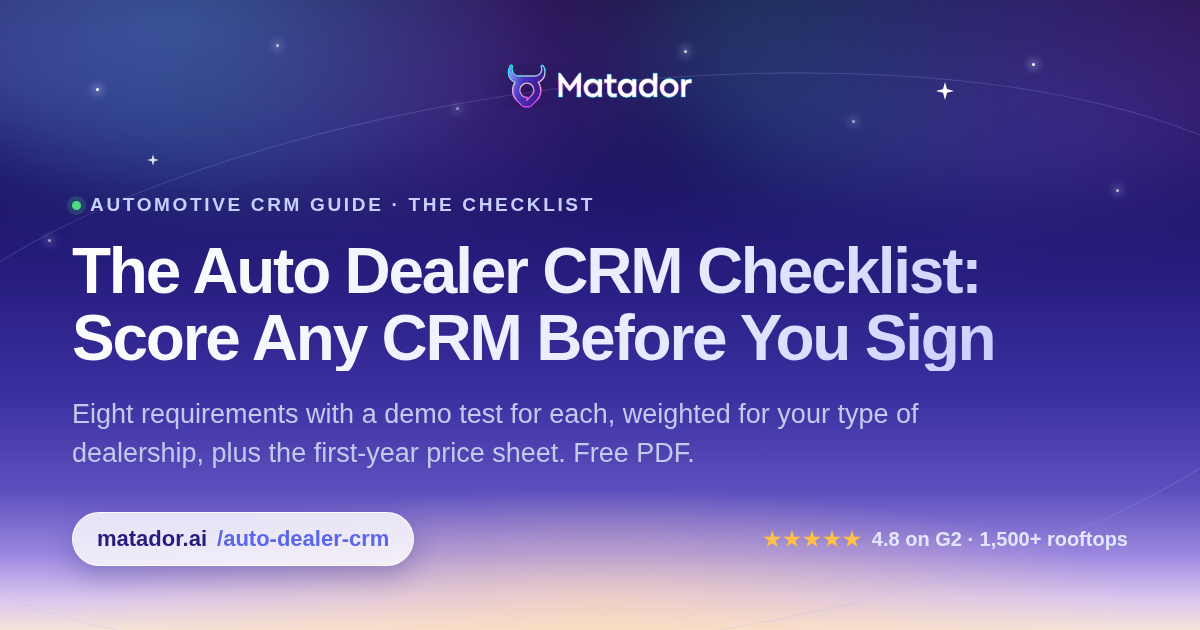
Score any CRM before you sign
Eight requirements with a demo test for each, weighted for your type of dealership, plus the first-year price sheet. Print it and take it into every demo.
Get the checklist →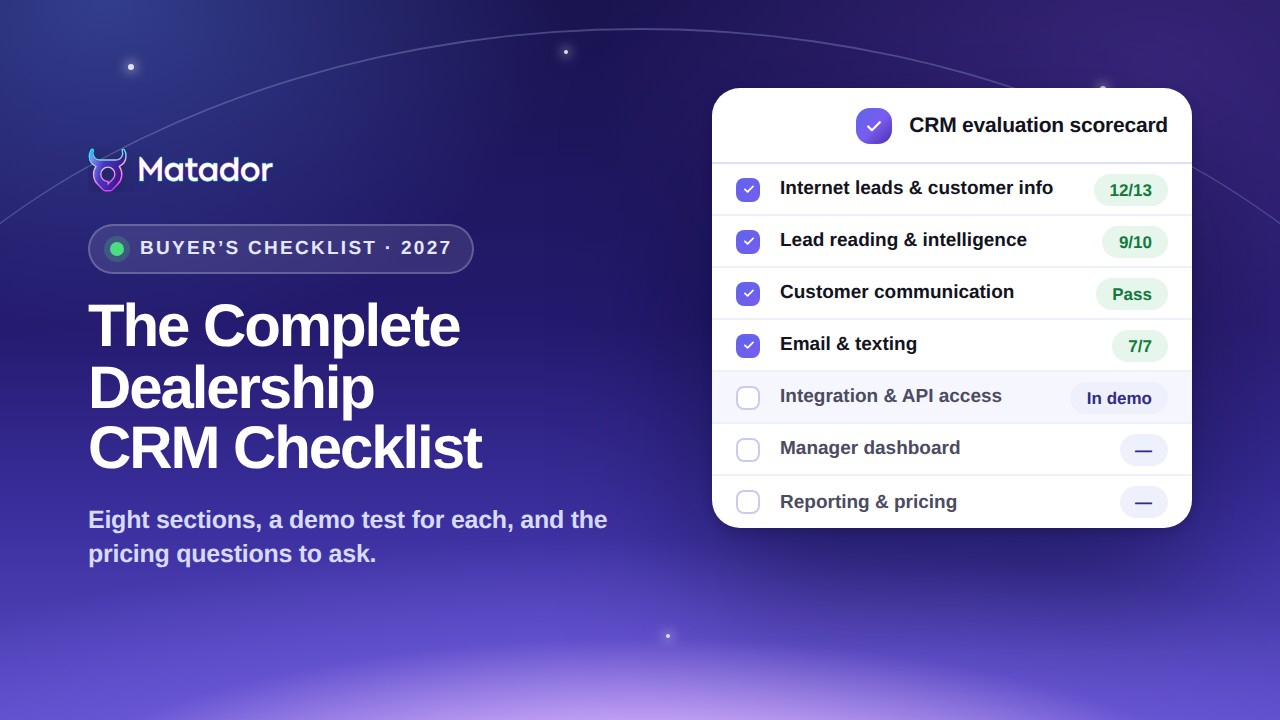
How to choose the right automotive CRM, line by line
The reasoning behind every line of the checklist, the questions to ask before comparing quotes, and the mistakes that make a demo look better than the product.
Read the article →
How the best-run stores work a lead and manage the CRM
The first hour of a lead, the follow-up protocols, the aged file, a sales manager’s day, the service lane and the rollout, drawn from the people who train dealerships on their CRM.
See the processes →
Matador is not a dealership CRM. It integrates with yours.
What conversational AI adds to the CRM you already have, how it connects to fourteen CRM and DMS platforms, and what syncs in which direction.
See how it connects →What Else Should a Dealer Read Around the CRM?
AI for automotive dealerships: the practical buyer’s guide
Use cases by department, the questions to ask any AI vendor, what a pilot involves, and how to read the ROI honestly.
Open →
AI in the automotive industry: where it is used in 2027
From design and the factory to the vehicle, the supply chain and the dealership: how mature each piece is, and what is still hype.
Open →
Every dealership integration, one page each
CRM, DMS, inventory feeds and the marketplaces that send you leads: what each connection covers and in which direction.
Open →What Do the Automotive CRM Terms Mean?
Twelve words every vendor demo leans on, in plain English. The words used on the floor, protocol, T.O., switch lead, orphan owner and the rest, are defined on the best-practices page.
- Automotive CRM
- Customer relationship management software built around dealership workflows: internet leads, desking, trades, the DMS, the sales-to-service handoff.
- ILMInternet Lead Management
- The part of the CRM that receives, routes and tracks internet leads. Usually priced with desking as the base CRM package.
- DMSDealer Management System
- The system of record for deals, F&I, parts, service repair orders and accounting. The CRM reads from it and is reconciled to it daily; Matador reads service data from it.
- BDCBusiness Development Center
- The team, in-house or outsourced, that works inbound leads and calls before a salesperson steps in. Some stores run a “BDC culture” instead: salespeople do their own follow-up on a fixed cadence.
- Lead source
- Where a lead came from: the website, an OEM program, a marketplace such as Autotrader or Cars.com. The key to lead ROI reporting, and distinct from the lead type (internet, phone or walk-in).
- ADF / XML
- The standard format most lead providers use to send a lead into a CRM. The “original lead headers” the checklist asks a CRM to preserve.
- Lead routing
- The rules that assign a new lead by store, department, source, employee, schedule or vehicle type. Round-robin is the common default.
- Speed to lead
- The time from a lead arriving to the first meaningful response. Matador’s AI Engage answers in about 30 seconds.
- Desking
- Structuring the deal numbers: price, payment, term and trade. Sold with the CRM as ILM plus desking, and worth pricing as one line.
- Duplicate management
- Recognizing the same customer arriving twice, through different sources or contact details, and merging the records without losing history.
- Opt-outSTOP
- A customer’s request to stop texts or emails. It has to be honored across every connected system (TCPA in the US, CASL in Canada).
- Two-way sync
- Data moving in both directions between Matador and the CRM: appointments, messages, assignment. A one-way lead push is not a sync.
What Else Do Dealers Ask About Automotive CRMs?
Ten questions, answered in brief. The first two are the automotive CRM questions Google shows most often.
What CRM do most dealerships use?
What does CRM mean in a car dealership?
What should automotive CRM software be able to do in 2027?
What is the best automotive CRM software?
How do I compare CRM vendors fairly?
Is the problem the CRM, or how it is run?
Should we buy more leads, or work the ones we have?
Who owns the customer, the salesperson or the dealership?
Is Matador a CRM?
Do I have to switch CRMs to use Matador?
Score Your CRM.
Then Decide What to Do About It.
The scored checklist is free and takes one email. If the score says the response is the gap, twenty minutes with our team shows the appointments sitting in the leads you already have, inside the CRM you already use.